

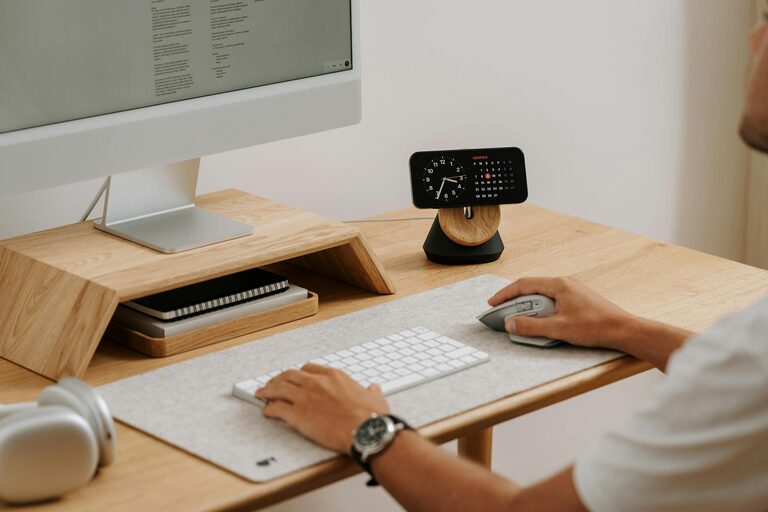
Creating a productive home office environment is key to achieving a satisfying and efficient workday, especially as remote work continues to rise. Whether you’re new to working from home or simply want to improve your current setup, this guide will help you design a space that supports concentration, creativity, and comfort.
Why Your Home Office Setup Matters
Working from home presents unique challenges, from distractions to physical discomfort. A well-planned home office can help you establish boundaries, reduce stress, and maintain a routine similar to that of a traditional workplace.
Here are some effective strategies to make your home office a hub of productivity.
Choose the Right Location
Consider Natural Light
Select a room or area with access to natural light as much as possible. Natural light can improve mood and reduce eye strain. Position your desk near a window, but avoid glare on screens.
Minimise Distractions
Find a quiet corner where household noises are minimal. Using noise-cancelling headphones can also help if the environment is noisy.
Dedicated Space
Try to use a space exclusively for work to reinforce mental separation between work and personal life.
Prioritise Comfort and Ergonomics
Invest in a Good Chair
A supportive, adjustable chair can prevent back and neck pain. Look for one with lumbar support and the ability to modify height and tilt.
Desk Height and Setup
Ensure your desk is at a height where your forearms are parallel to the floor when typing. Keep essentials within easy reach to avoid unnecessary stretching.
Screen Position
Place your computer screen at eye level and about an arm’s length away to reduce neck strain and eye fatigue.
Organise Your Workspace
Declutter Regularly
A tidy workspace minimises distractions. Use organisers, drawers, or shelves to keep supplies neat.
Use Functional Storage
Containers, file trays, or labelled boxes help keep paperwork and accessories organised.
Personal Touches
Add a few personal items like plants or photos to create a welcoming environment without overcrowding the space.
Manage Technology Efficiently
Reliable Internet Connection
A stable internet connection is vital. Consider using a wired connection if Wi-Fi is inconsistent.
Appropriate Equipment
Choose a keyboard, mouse, and monitor that suit your needs. Regularly update software to maintain security and performance.
Cable Management
Keep cables out of the way with clips, ties, or boxes. This reduces clutter and potential hazards.
Establish a Routine
Set Working Hours
Define clear work periods and breaks. This helps maintain focus and counters the tendency to overwork when at home.
Take Regular Breaks
Short breaks every hour can prevent fatigue and eye strain. Stretch, walk around, or do light exercises.
Use Time Management Techniques
Methods like the Pomodoro Technique (working in focused intervals) can enhance concentration and productivity.
Enhance Lighting and Ambience
Supplement Natural Light
Use adjustable desk lamps or overhead lights to ensure adequate lighting, especially during darker months.
Control Temperature and Ventilation
Maintain a comfortable room temperature. Good airflow improves concentration and reduces tiredness.
Reduce Glare and Noise
Use blinds or curtains to control sunlight. Consider white noise machines or low-volume background music if it aids your focus.
Stay Connected and Motivated
Regular Communication
Schedule check-ins with colleagues or clients to maintain social interaction and professional accountability.
Set Goals
Break tasks into manageable objectives. Celebrate accomplishments to stay motivated.
Create Inspirational Space
Surround yourself with items that inspire you, such as vision boards, motivational quotes, or artwork.
Final Thoughts
Creating a productive home office environment takes some trial and error, but investing time and thought into your workspace can greatly improve your work-from-home experience. By focusing on location, comfort, organisation, technology, routine, and ambience, you’ll support your productivity and wellbeing in equal measure.
Remember, your home office should work with you—not against you. Keep adjusting your setup as your needs evolve to stay efficient and comfortable.